



Discover the Top Website Builders for WordPress in our comprehensive guide, designed to help you choose the best tools for your WordPress journey. Whether you’re a blogger, business owner, or developer, we compare popular WordPress website builders based on features, pricing, ease of use, and customization options. Learn about the pros and cons of each builder, including their compatibility with WordPress themes and plugins, SEO optimization capabilities, and more. Make an informed choice to enhance your WordPress website design and development process.
Key Takeaways:
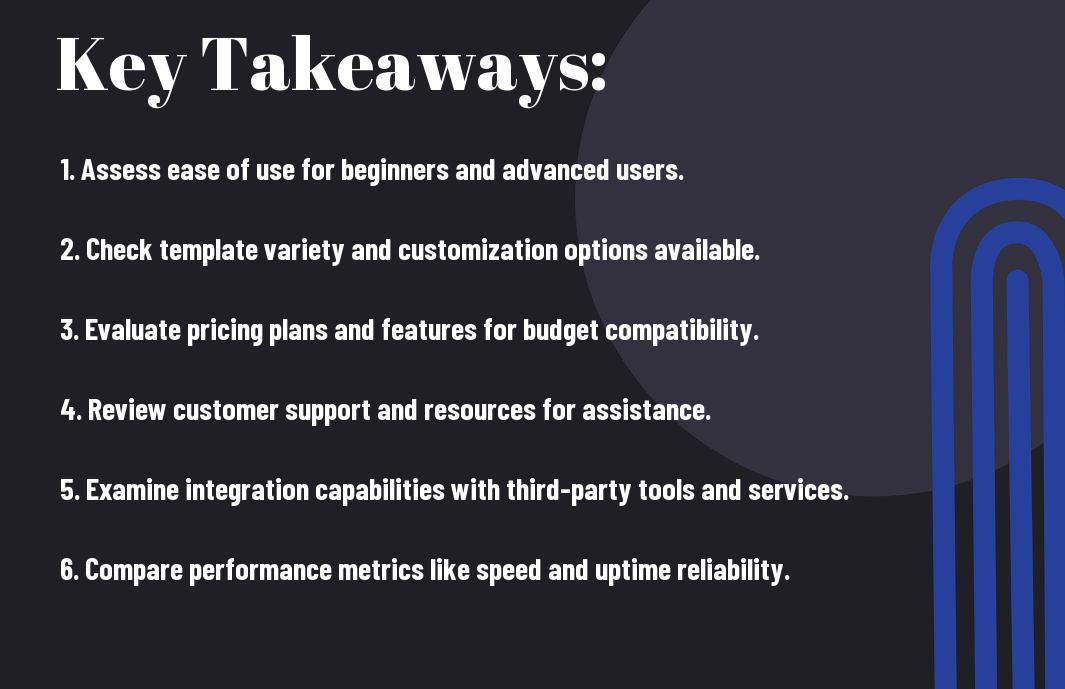
- Evaluate the features offered by different website builders, focusing on compatibility with WordPress themes and plugins.
- Consider user experience and ease of use, as a simpler interface can enhance your WordPress development journey.
- Review pricing models and support options to ensure they align with your budget and technical needs for website maintenance.
1.Research Top Website Builders Options
As you explore your WordPress journey, it’s vital to explore all website builder options available. Each builder has its unique feature set, pricing, and usability designed to cater to different needs. You want to align your specific goals with the right tool that will help elevate your content and connect you with your audience. Be thorough in your research to ensure you’re making an informed choice that will benefit you long-term.
List Popular WordPress Builders
There’s a myriad of options when it comes to WordPress builders, including Elementor, Divi, and Beaver Builder. Each platform offers distinctive functionalities that cater to different skill levels and design preferences. By identifying the most popular WordPress builders, you set a strong foundation for selecting the right one that can provide you with the flexibility and ease of use you crave.
Check Builder Requirements
There’s no point diving headfirst into a builder without checking its requirements first. Some builders demand specific hosting plans or themes, while others might require certain technical skills. Ensuring that your current resources align with what each builder demands is imperative for a smooth start. This will save you time and potential headaches down the road.
As you sift through the requirements, focus on matching your existing knowledge and resources with the builder in question. A builder that’s too complex for your current skills might lead to frustration, while one that’s too basic might not give you the features your site needs. Be aware of hosting compatibility and update requirements, as they can impact your site’s performance and security. Aligning your tools correctly means setting a strong base for your website, so take a little time to ensure you’re all set before you plunge in!
2.Define Your Website Needs
Assuming you want your website to take off, it’s necessary to clarify what exactly you need before submerging into the world of website builders. By outlining your goals, you can streamline the selection process, ensuring you end up with a platform that not only fits your vision but also drives your success.
Identify Website Purpose
Some of you may want a sleek portfolio, while others need an e-commerce powerhouse. Whatever your goal, pinning down the purpose of your website will guide your decisions and help you create a platform that speaks to your audience. It’s all about maximizing impact!
Set Budget Parameters
If you’re serious about building a standout website, you’ve got to think about your budget. What are you willing to invest to bring your vision to life? Setting those parameters early on helps you choose wisely among the many options available.
For instance, know that cheap may not always be better. While you might find a great deal, be aware that many budget options come with hidden costs that can inflate your total expenditure unexpectedly. Conversely, investing in a quality platform from the start can save you from future headaches and give you flexibility for enhancements as your business grows. So, weighing out your options carefully is key!
3.Compare Key Features
Once again, you need to focus on the imperative elements that can make or break your website-building experience. Comparing the key features can help you select the right tool for your WordPress journey. Here’s a breakdown of what to look for:
Key Features
| Feature | Description |
| Drag-and-Drop Editor | Easy-to-use interface for designing without coding. |
| Mobile Responsiveness | Ensures your site looks good on all devices. |
| SEO Tools | For optimizing your content to rank higher. |
| Website Hosting | Includes hosting services for your site. |
| Design Templates | Offers various themes to match your style. |
This list will guide you in identifying what aspects are imperative for your unique needs.
Evaluate Builder Interface
Assuming you want a seamless experience, the interface of your chosen builder is an important factor. You deserve a platform that’s intuitive and easy to navigate. Try out the interface through demos or trials to see if it fits your workflow.
Check Design Templates
Design matters, right? You want your website to pop and leave an impact. Finding a builder with a solid range of design templates can help you create something unique that represents your brand effectively.
For instance, some builders offer customizable templates that allow you to tailor every detail while others might provide limited options. You could end up feeling boxed in and frustrated if your templates aren’t flexible. Strong branding is your goal, so ensure that you choose a builder that offers vibrant, high-quality themes that resonate with your vision. The right template can make a huge difference in how your audience perceives your content, so choose carefully!
4.Assess Pricing Plans
Now that you’re entering into the world of website builders, it’s time to assess pricing plans. Finding the right balance between cost and value is imperative for your WordPress journey. Don’t just skim through the prices; look closely at what each platform offers, and consider how it fits your budget and needs. Being smart about costs now can mean bigger gains for you down the road.
Compare Monthly Costs
An effective comparison of monthly costs can help you nail down the best deal. Check out the breakdown below:
Monthly Pricing Comparison
| Platform | Monthly Cost |
|---|---|
| SITE A | $10 |
| SITE B | $15 |
| SITE C | $20 |
Review Premium Features
Costs can take a back seat when you start reviewing premium features because they often provide the extra oomph your site needs to stand out. Dive into what’s included—stuff like advanced SEO tools, e-commerce capabilities, or custom integrations can be game-changers for you. Each add-on might hike your monthly payment, but it could also exponentially increase the value you receive.
Monthly charges are often just the tip of the iceberg when it comes to premium features. Make sure you gauge the importance of these extras. Do they help with performance, design, or scalability? Some platforms might hit you hard with prices, but their game-changing features could make the investment totally worth it. Don’t overlook the potential ROI you can gain from these premium options as you plan for your website’s success!
5.Check Builder Compatibility
Keep an eye on the compatibility of your chosen website builder with your WordPress setup. Not all builders sync seamlessly with WordPress, and it can lead to a frustrating experience if they don’t work well together. Always ensure that the builder integrates properly with your themes and features, because let me tell you, a smooth journey means you can spend more time creating and less time troubleshooting.
WordPress Version Requirements
Compatibility is key when it comes to WordPress version requirements. Some builders may only support recent updates, which means if you’re running an older version, you could face issues. Always check if the builder is compatible with your current WordPress version to avoid any surprises that could hinder your progress.
Plugin Integration Options
You’ll want to explore the plugin integration options each website builder offers. This is where the magic happens, as plugins enhance your site’s functionality and can improve user experience. Without the right integrations, your site might feel limited.
Requirements for solid plugin integration are all about flexibility and compatibility. If your website builder offers a wide range of plugins, it opens the door to countless features, allowing you to customize your site with ease. However, be cautious—some builders might be too restrictive, limiting your options and affecting your site’s performance. Make sure to have a builder that supports important plugins, enabling you to boost your site’s capabilities while keeping it robust and user-friendly.
6.Review User Experience
Many website builders offer varying levels of user experience, and it’s important for you to find one that resonates with your workflow. Smooth navigation, a clean layout, and responsive support can make all the difference in your WordPress journey. Evaluate how intuitive the interface feels to you as you strive to create a personal or business website. A positive user experience can empower you to unleash your creativity and drive results.
Test Builder Interface
While testing different website builders, focus on how user-friendly the interface is in executing your vision. You don’t want to be wrestling with clunky systems that bog you down. The best builders provide a fluid experience where you can drag, drop, and design effortlessly, allowing your ideas to flow naturally.
Check Learning Resources
On your journey to find the right website builder, ensure you explore the learning resources that they offer. Having a wealth of tutorials, documentation, and community forums at your disposal can boost your confidence in using the platform effectively. You want to know that when you hit a snag, help is readily available.
Interface matters—not just in how you build, but also in how you learn. A builder with strong educational materials offers you a safety net for those times you feel stuck. If they have active community forums and a plethora of video tutorials, don’t underestimate this! It can mean the difference between frustration and innovative creation. You want to equip yourself with the right resources to capitalize on new features and optimize your site’s functionality seamlessly.
7.Analyze Support Options
Now that you’re steering your WordPress journey, understanding the support options available to you is crucial. Different website builders offer varying levels of assistance, whether it’s live chat, email support, or dedicated forums. It’s important to know that a strong support system can significantly enhance your experience, saving you time and minimizing frustrations as you build your online presence. So let’s dive in and see what your top contenders bring to the table!
Compare Customer Service
Analyze the customer service of each builder using the following table:
| Website Builder | Customer Service Options |
|---|---|
| Builder A | 24/7 live chat, email support, extensive FAQs |
| Builder B | Business hours phone support, email, community forums |
| Builder C | Email support only, limited documentation |
Access Documentation Resources
An effective documentation resource can be a game-changer for your DIY spirit. It’s all about equipping yourself with guides, videos, and tutorials that make your learning experience smoother and way more engaging.
For instance, some website builders provide comprehensive knowledge bases alongside video tutorials that guide you through the intricacies of their platform. These resources can help you quickly tackle obstacles that arise while building your site. Take advantage of communities and forums where you can ask questions and share knowledge. Ultimately, the more accessible the documentation, the less time you’ll waste, and the more confident you’ll feel in making your website vision a reality!
8.Consider Performance Impact
Despite the allure of features and design flexibility, remember that the performance impact of your chosen website builder can make or break your WordPress journey. A sluggish site frustrates visitors, leads to high bounce rates, and ultimately hurts your SEO. It’s necessary to choose a builder that optimizes speed and overall performance to keep your audience engaged and improve your rankings.
Test Loading Speeds
Assuming you want to ensure a seamless user experience, it’s vital to test the loading speeds of your website builders. Fast loading times keep visitors happy, boost conversions, and help you outperform competitors. Tools like Google PageSpeed Insights or GTmetrix can give you a clear picture of how each builder stacks up in terms of performance.
Check Resource Usage
You’ll want to dig deeper and check the resource usage of the website builders you’re considering. A builder that consumes excessive resources can slow down your site, which creates a poor user experience. Look for options that efficiently utilize server resources, allowing for smooth navigation without any hiccups.
Impact of resource usage can be *dramatic*. If your site is using too much server power, it could lead to *slower response times* and an overall *laggy experience*. This not only frustrates visitors, but it can also hurt your *SEO performance*. On the flip side, a builder that optimizes *resource allocation* can lead to *faster load times* and a smoother browsing experience, giving your site the *competitive edge* it needs. Focus on finding that balance to elevate your WordPress journey.
9.Evaluate Design Flexibility
After you investigate the world of website builders, one of the key things you need to assess is how flexible the design options are. It’s not just about picking a pretty theme; it’s about ensuring that you can mold your site into something uniquely yours. The right builder will allow you to personalize your site effortlessly, giving you the freedom to showcase your brand’s personality without getting stuck in a cookie-cutter template.
Template Customization Options
Little tweaks can make a massive difference when it comes to customizing templates. Look for builders that offer a rich library of templates, alongside options for altering colors, fonts, and layouts. You want the ability to play around and create something that reflects your vision. The more flexibility you have, the easier it is to stand out.
Mobile Responsiveness Features
Options for mobile responsiveness are a game changer in today’s digital landscape. Your website needs to look stunning on any device, whether it’s a desktop or a smartphone. It’s not just about being pretty; you’re aiming for an experience that makes visitors stick around.
Plus, make sure the builder you choose provides built-in mobile optimization features. This means no additional coding or stress for you. A responsive design ensures that your content looks sharp and loads quickly across all devices, creating a fantastic user experience. The last thing you want is someone bouncing off your site because it doesn’t work on their phone. So, prioritize builders that prioritize mobile responsiveness – it’s a major win for your online presence!
10.Security Features Review
All website builders boast a range of security features to protect your online presence. It’s crucial to investigate how each platform shields your data from potential threats, ensuring that your site remains safe and secure as you grow. Security should never be an afterthought – it’s a fundamental part of your WordPress journey.
Check Security Measures
An effective website builder will provide robust security measures, including SSL certificates, firewalls, and regular updates. Ensure that the platform you choose proactively protects you from vulnerabilities, providing peace of mind as you focus on what truly matters – building your brand.
Backup Solutions Available
While looking for website builders, pay close attention to their backup solutions. You want to make sure you can easily restore your site if anything ever goes sideways.
Features of top website builders usually include automated backups, allowing you effortless recovery without losing precious content. Some platforms offer 33 different restore points to ensure you can bounce back from any mishaps. You definitely don’t want to be left scrambling if disaster strikes; having reliable backup solutions means you can keep pushing your vision forward. Take action now and choose a builder that prioritizes your security and stability.
11.Compare SEO Capabilities
After venturing into website builders, it’s time to compare their SEO capabilities. A solid SEO foundation is vital for your WordPress journey. You’ll want to check out how each builder stacks up regarding features that can enhance your site’s visibility. Here’s a quick comparison:
| Website Builder | SEO Features |
| Builder A | Customizable meta tags, integrated sitemap |
| Builder B | Advanced SEO analytics, keyword suggestions |
| Builder C | Social media integration, schema markup |
Built-in SEO Tools
For your website to thrive, having built-in SEO tools is a game-changer. These tools often include customizable meta descriptions, preview snippets, and automated sitemaps, allowing you to optimize your content seamlessly without external plugins. This means you can focus on creating quality content while knowing your site is set to be found.
Search Engine Optimization
Any website builder you choose should prioritize search engine optimization. This means that optimizing your site for search engines is not just an afterthought but is integrated into the building process. A builder that supports effective SEO will allow you to manage alt texts, keywords, and even provide guidance on local SEO practices.
With great SEO tools at your disposal, you’ll have the ability to implement strategies that boost your site’s ranking, driving organic traffic your way. You’ll want to choose a builder that facilitates easy optimization, allowing you to casually adjust your strategy when needed. Tools that provide real-time feedback on performance can make or break your SEO game. Get this right, and watch your audience grow! You’ve got the power—use it wisely!
12.Mobile Editor Features
Not having strong mobile editor features can seriously limit your website’s potential. Your visitors are on the go, and if your site isn’t mobile-friendly, you’re losing traffic and engagement. The best website builders recognize the importance of mobile usability, ensuring your site looks and functions flawlessly across all devices. Let’s investigate what you need to evaluate for optimal performance.
Mobile Editing Capabilities
On most website builders, an intuitive mobile editor allows you to easily modify your site’s appearance and functionality specifically for smartphone and tablet users. This feature is a game changer because it ensures that what you create looks amazing, no matter the screen size. Keep your audience in mind—with mobile editing, you have the power to engage them successfully.
Responsive Design Tools
To maximize your website’s reach, you need robust responsive design tools. These tools automatically adjust your layout, images, and text to suit different devices, ensuring your content shines everywhere. Nobody has time to manually tweak each element, right? So, these features save you time while boosting your site’s aesthetic appeal across devices!
Any website builder worth considering provides responsive design tools that allow you to effortlessly ensure your site adapts to any screen size. You want to create an experience that feels seamless and accessible for users on desktops, tablets, and smartphones alike. Look for features like auto-resizing images, fluid grid layouts, and the ability to customize viewport settings. Not only will this enhance your site’s visual impact, but it will also improve your SEO ranking. A responsive design isn’t just a nice-to-have—it’s vital in today’s digital landscape!
13.Third-Party Integration Options
After picking the right website builder, it’s time to explore how well it integrates with third-party tools. Your ability to connect with vital services can make or break your WordPress experience, so pay close attention to what’s on offer. Whether you’re focusing on marketing, e-commerce, or analytics, strong integration capabilities can help you streamline your workflow and boost productivity.
Available Plugin Support
The best website builders offer a variety of plugins that can enhance your site’s functionality. By leveraging these plugins, you can easily add features like SEO optimization, social media sharing, and custom forms, allowing you to tailor your website to fit your unique vision and needs.
External Tool Compatibility
For your website to thrive, you need it to work seamlessly with various external tools. This means integrating with platforms like email marketing services, CRM systems, and even accounting software. When you can connect your website to the tools you already love, you’re setting yourself up for success.
Tool integration is where the magic happens. When you have a website that easily connects with powerful applications, your workflow becomes smoother, and your operations are more efficient. Look for a builder that provides straightforward connections to popular tools like Zapier, Mailchimp, and Shopify. You can automate tasks, sync your data, and even enhance your online selling game, which is a game changer for your business!

14.Content Management Features
Keep your website streamlined and efficient with powerful content management features. These tools make it a breeze to create, edit, and organize your content, enabling you to focus on what truly matters – delivering value to your audience. By choosing the right builder, you can simplify your workflow and enhance your content strategy.
Content Organization Tools
Now that you’re crafting killer content, you need a solid system to organize everything. Ensure your website builder provides intuitive categories, tags, and custom menus. This way, your visitors can easily find what they’re looking for, and you won’t waste time navigating through a cluttered mess. It’s all about making everything user-friendly!
Media Library Management
Content is king, but visuals are the crown jewels! You need an amazing media library to keep your images and videos sorted and accessible. A well-managed media library enables you to upload, categorize, and easily retrieve visual content, which saves you precious time and keeps your workflow smooth.
With a robust media library management system, you can ensure your digital assets are organized and optimized. You’ll want features like bulk upload, drag-and-drop functionality, and advanced search options to help you find your files in seconds. By keeping everything tidy and easy to access, you will enhance your productivity and make the most of your website’s visuals. Don’t overlook this aspect—it can truly elevate your content quality and user experience!

15.E-commerce Capabilities
To truly elevate your WordPress journey, you need to tap into powerful e-commerce capabilities. Selecting the right website builder isn’t just about looks; it’s about providing a seamless shopping experience for your customers. Dive deep into the options that enable you to easily set up shop, manage inventory, and showcase products effectively.
Online Store Features
There’s a world of potential when it comes to online store features. Whether it’s customizable product pages, easy inventory management, or the ability to handle multiple product variations, the right tools can set your store apart. You want your customers to have the best shopping experience possible, without any hiccups along the way.
Payment Gateway Options
You’ll want to explore various payment gateway options to ensure that your customers can pay securely and conveniently. A range of options gives you flexibility, adapting to various customer preferences and increasing your chances of closing that sale.
Gateway options play a substantial role in your e-commerce success. With so many choices—like PayPal, Stripe, or other local solutions—it’s vital to find the one that suits your business. Each gateway comes with its own set of transaction fees and security features, so you need to do your homework. Plus, make sure to consider customer experience; a smooth checkout process can lead to higher conversion rates. The right payment gateway not only supports multiple currencies but also ensures that customer data remains secure. So, choose wisely and make payments an absolute breeze for your audience. You got this!
16.Marketing Tool Integration
For your WordPress journey, having seamless marketing tool integration is a game changer. The best website builders allow you to connect with various marketing tools, making it easier for you to manage your campaigns, track your performance, and boost your online presence all in one place. Whether it’s email marketing or social media, you want your tools to work seamlessly hand-in-hand to maximize your impact.
Email Marketing Features
The most effective website builders simplify the process of integrating email marketing features. You’ll find platforms that offer built-in tools to capture leads, create newsletters, and analyze your audience’s engagement—allowing you to connect with your followers without breaking a sweat. Think of this as your bridge to building lasting relationships with your subscribers.
Social Media Integration
You’ll want to look for exceptional social media integration when selecting a website builder. This capability allows you to easily share your content, engage with your followers, and even run ads directly through your website. You want everything to be streamlined; your posts should flow effortlessly onto your profiles. That’s where the magic happens—reaching more people and expanding your brand presence like a boss!
You can utilize social media integration to not only amplify your content but also to create a cohesive online experience for your audience. By having consistent social sharing buttons, you make it easy for your visitors to spread your message, increasing your reach. Plus, consider incorporating social feeds on your site to showcase real-time updates and foster a sense of community. Don’t overlook the power of direct social media advertising integration, as it allows you to target the right audience with precision, turning those clicks into conversions.
17.Maintenance Requirements
Not all website builders are created equal when it comes to maintenance. Some platforms require regular updates and backups, while others offer more hands-off solutions. You need to figure out what effort you’re willing to put into keeping your site running smoothly, whether you desire full control or prefer a more automated approach.
Update Frequency
Clearly, the update frequency can make or break your site’s performance. Some builders provide automatic updates, ensuring you’re always running the latest versions without lifting a finger. Others demand that you keep up with updates manually, which can be a pain when you’re focused on growing your business.
Technical Support Needs
Needs vary based on your technical expertise and the complexity of your site. If you’re a DIY kind of person, you might feel comfortable navigating issues on your own. However, if you’re looking for reassurance and guidance during hiccups, you want a platform that offers top-notch support. Finding the right balance between self-reliance and expert help is vital.
The level of technical support you desire shapes your experience significantly. Look for a website builder that offers multiple ways to reach out, whether it’s live chat, email, or phone support. This means you can get immediate help when you run into issues, rather than facing frustrating downtime. A knowledgeable support team can help you navigate unexpected challenges, ensuring your website stays functional and appealing. Don’t just settle for basic help; it’s about having a team in your corner that empowers you to achieve your goals without bumps in the road.
18.Community and Reviews
After stepping into the world of website builders, it’s time to tap into the voices of those who’ve walked the same path. Engaging with community feedback and reviews provides you a reality check on your options, helping you choose the right platform to elevate your WordPress journey. The insights from real users can save you headaches and lead you towards a tool that truly meets your needs.
User Feedback Analysis
An in-depth analysis of user feedback can reveal the hidden gems of each website builder. By exploring what users love or dislike about their experiences, you can make informed decisions. Look for patterns in their feedback to identify which features resonate with your goals and which ones might trip you up.
Community Support Options
Options for community support can make your building process smoother than ever. Seek out platforms with vibrant forums, social media groups, or even live chat assistance. These channels can be your lifeline, providing answers and guidance when you hit a bump in the road.
Feedback from other users reveals that a strong community can be your greatest ally. Being part of a supportive network means you can get quick answers to your questions and share experiences. Look for builders with active forums and responsive customer service. A lively user community means you won’t just have resources but also real-time support when challenges arise. Plus, you gain access to tips and tricks from seasoned pros that can drastically improve your site’s performance!
19.Testing and Implementation
Unlike the tricky tech hurdles you might expect, testing and implementing your website builder is a straightforward journey. You’ll want to dig deep, experiment, and find what truly resonates with your vision. You’re not just launching a site; you’re setting the foundation for your brand. So, embrace the challenges, lean in, and remember that every tweak is a step toward something great.
Free Trial Options
Some builders offer free trials, allowing you to explore their features without any financial commitment. This is your opportunity to kick the tires and see if the platform aligns with your needs. Take advantage of these trials to experiment with layouts, tools, and support. Don’t just settle for the first option—be critical, compare, and see what really clicks for your vision!
Implementation Timeline
Assuming you’re venturing into your website builder after testing various options, your implementation timeline can actually be pretty flexible. Start by mapping out your goals—what do you want to achieve in the next month? Then break those down into actionable steps you can tackle weekly. You have the power to set this pace!
For instance, if you want to launch in 30 days, focus on designing your site the first week, populating content the next, and refining your SEO and performance in the final weeks. The beauty of this timeline is that you can iterate and adjust as you go along. Maybe you discover a new feature you want to incorporate or content that just needs more love. Stay flexible, keep your eyes on the prize, and stay fired up—your website is a direct reflection of your passion and hustle!
20.Make Final Decision
Once again, it’s time to consolidate your findings and make that big decision. You’ve navigated through various options, weighed their pros and cons, and now it’s about deciding which website builder aligns with your vision and goals. Trust yourself and your gut feeling; select the option that truly resonates with your style and business objectives.
Compare Gathered Information
Compare the options you’ve explored. Here’s a simple breakdown:
| Website Builder | Key Features |
| Builder A | Responsive design, SEO tools, E-commerce integration |
| Builder B | Customizable templates, 24/7 support, drag-and-drop interface |
| Builder C | User-friendly, built-in analytics, social media integration |
Choose Best Solution
Even after comparing, it’s important to trust where your instincts lead you. Analyze the gathered information and focus on what will elevate your WordPress journey.
For instance, if you want an easy-to-use platform with powerful customization, you might gravitate towards a builder that offers drag-and-drop functionality. On the other hand, if you are aiming for a store launch, seek features like robust SEO tools and e-commerce capabilities. Prioritize what’s most important for your business success, as this choice can amplify your potential and set the stage for your online presence.
Conclusion
Taking this into account, the journey to building your perfect website doesn’t have to be overwhelming. By comparing the top website builders available, you’re setting yourself up for success in your WordPress adventure. Dive deep, test the waters, and choose the platform that resonates with your vision. Your online presence is yours to create – so go all in, seize the opportunity, and let your unique voice shine! Let’s hustle and make it happen!
FAQ
Q: What should I consider when comparing different website builders for WordPress?
A: When comparing website builders for your WordPress journey, consider several factors such as ease of use, customization options, pricing plans, and support services. Look for builders that offer intuitive drag-and-drop functionality if you’re not tech-savvy. Also, check the selection of themes and plugins available to ensure you can achieve the desired look and functionality for your site. Lastly, evaluate customer support options to ensure you can get help when needed.
Q: How do I determine if a website builder is suitable for my specific needs?
A: To determine if a website builder is suitable for your needs, start by identifying your goals. Are you creating a blog, an eCommerce site, or a portfolio? Once you know your goals, evaluate each website builder based on features that support those objectives. Consider factors such as SEO capabilities, mobile responsiveness, and the ability to integrate with social media. Reading user reviews and comparing ratings can also provide insights into the performance and reliability of the builder you’re considering.
Q: Is it easy to migrate my website from one builder to another if I change my mind?
A: The ease of migrating your website from one builder to another largely depends on the platforms involved. Most reputable website builders provide tools or guides to help with migration, but it’s important to plan ahead. You should back up all your content and data first. Additionally, some builders may have limitations or specific protocols, so researching the migration process for each platform is important before making a switch. Keep in mind that if you do change builders, some customization features may not transfer seamlessly.