



You need to put in the work to build a killer WordPress website that stands out! With the right tools, your vision can transform into reality, but with so many options out there, it’s easy to get overwhelmed. That’s why it’s imperative to evaluate your choices carefully, ensuring you choose tools that genuinely enhance your workflow and elevate your site’s performance. This step-by-step guide will walk you through the top 10 strategies to make informed decisions, helping you build a website that not only looks good but also drives results!
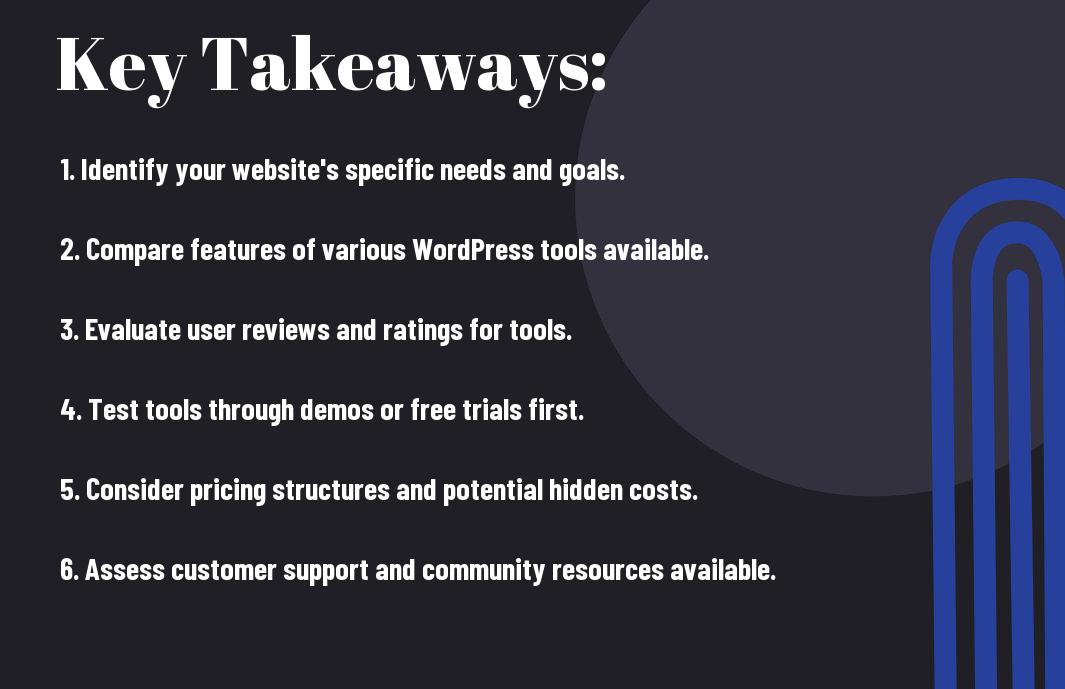
Key Takeaways:
- Assess your website’s specific needs to identify the right tools that will enhance functionality and user experience.
- Compare features, pricing, and customer support of various tools to ensure you select those that provide the best value.
- Look for tools that integrate well with each other and with WordPress to streamline your website development process.
Define Your Website Requirements
For a successful WordPress site, it’s imperative to define your website requirements upfront. This roadmap will guide you in selecting the right tools that align with your vision. Start by understanding the purpose of your site, whether it’s for blogging, e-commerce, or a portfolio. This clarity will set you up for success!
Identify Business Goals
Clearly outline what you want to achieve with your website. Are you looking to generate leads, sell products, or build an online community? Pinpointing these goals will help you focus on the features and functionalities your site needs, driving you closer to success!
List Technical Requirements
Your technical requirements lay the groundwork for your website’s functionality. Think about aspects like site speed, security needs, and different media types you plan to use. These details will help you choose the right hosting service and tools that can support your ambitions.
List every imperative component for your site; think about plugins, themes, and hosting options that suit your needs. Highlight the features that you can’t live without, like responsive design for mobile users or SEO optimization tools to boost your visibility. Pay attention to security features to protect your site from threats, as a single breach could derail everything you’ve worked for! Balancing cost-effectiveness with robust capabilities ensures you’re making a smart investment. You need to be proactive and say NO to anything that doesn’t align with your vision!
Research WordPress Tools
One of the most important steps in building your WordPress website is to research the right tools that can support your vision. With countless plugins, themes, and builders available, you need to ensure you’re picking the right ones to drive your site’s performance. Consider your specific needs, budget, and personal preferences to create a well-rounded toolkit that enhances your overall online strategy.
Popular Website Builders
Now, if you’re looking for user-friendly options, popular website builders like Elementor, Divi, and Beaver Builder could be your best friends. These tools allow you to create stunning, functional websites without needing extensive coding knowledge. They offer a range of customizable templates and drag-and-drop interfaces that make the building process feel like a walk in the park!
WordPress-Specific Solutions
With WordPress being as versatile as it is, there are specialized tools made just for you!
This includes plugins like Yoast SEO for optimizing your site, WooCommerce for eCommerce capabilities, and WPForms for simple form building. These tools not only enhance functionality but also improve your site’s overall performance and user experience. Investing in WordPress-specific solutions can pay off significantly in terms of attracting traffic and maximizing conversions on your website. You want to pick tools that not only fit your vision but also set your site up for extraordinary success.
Compare Feature Sets
Keep your focus on the tools that elevate your WordPress website. Each tool offers a unique set of features, so it’s vital to compare these offerings side by side. Here’s a quick reference to get you started:
| Tool | Key Features |
|---|---|
| Tool A | Feature 1, Feature 2, Feature 3 |
| Tool B | Feature 1, Feature 4, Feature 5 |
| Tool C | Feature 2, Feature 3, Feature 6 |
Core Functionality Analysis
An effective tool needs to deliver on core functionalities that drive your website’s performance. Evaluate how each tool aligns with your specific goals, whether it’s speed, SEO optimization, or simplicity. Focus on how these features will translate into real benefits for your audience.
Add-on Options Available
If you want more than just the basics, explore the add-on options each tool offers. These extensions can supercharge your site and provide additional functionalities that might not be included in the core version.
Sets you up for success by allowing customization of your site, enabling you to choose features that best match your needs. Whether it’s plugins for e-commerce, social media integration, or advanced analytics, add-ons play a key role in enhancing the user experience. Don’t overlook the power of scalable solutions; they could take your website to the next level. Your choice of add-ons will not only impact functionality but also how your audience engages with your content. Choose wisely!

Check Compatibility Issues
Once again, exploring into compatibility issues is vital for ensuring your WordPress website runs like a well-oiled machine. You don’t want to invest your time and energy in tools that clash with your existing setup, so before making any decisions, verify that your chosen tools seamlessly integrate with your WordPress environment. A smooth experience is what you’re after, so do your homework and avoid potential headaches down the road.
WordPress Version Support
Issues with WordPress version support can trip you up big time. Always check if the tools you’re eyeing are compatible with your current WordPress version. If not, you might face daunting functionality problems or potentially expose your site to security vulnerabilities. Stay updated and ensure you’re not left in the dust.
Plugin Integration Capabilities
Plugin compatibility is super important. Plugins can supercharge your site, but if they don’t play well with each other or your theme, you’re risking a messy situation. You want to look for tools that seamlessly integrate with popular plugins that add functionality, such as SEO, traffic analytics, and more. Having the right combination will boost your site’s performance and give you the flexibility to grow. Don’t just look for standalone solutions; check how well they work together.
This is where you really need to do your due diligence. Some tools might promise the world but struggle to mesh with your imperative plugins, leading to performance bottlenecks or even crashing your site. Always research and read user reviews regarding integration experiences with other plugins. You want a cohesive system that enhances your site’s capabilities, not one that leaves you scratching your head and fighting fires. Invest some time here—it pays off massively!
Evaluate Pricing Models
Once again, it’s all about understanding what fits your budget. Pricing models can vary tremendously, and you want to ensure that you’re not just throwing your cash at a tool because it looks shiny. Dig deep into the value you’re getting for your money; whether it’s a one-time purchase option or a subscription-based service, knowing how each approach aligns with your long-term goals is vital for making a wise investment.
One-time Purchase Options
An upfront cost can feel like a safer bet for some of you, especially if you want to avoid ongoing fees. One-time purchase options can save you a ton if you plan to stick with the same tool for the long haul. Just make sure to evaluate the support and updates included; otherwise, you might find yourself stuck with outdated tools down the line!
Subscription-Based Services
Onetime costs can sometimes seem appealing, but subscription-based services often venture into game-changing territory.
Any subscription model brings both flexibility and ongoing access to updates and support. While you’ll be paying regularly, the constant flow of new features and improvements can significantly enhance your website’s performance over time. Just make sure you’re fully aware of the cumulative costs, as they can sneak up on you. Stay strategic and ensure that the benefits of subscriptions align with your business growth aspirations!
Assess User Interface
Despite the fact that functionality is key, the user interface can make or break your experience with WordPress tools. You want something intuitive that won’t leave you pulling your hair out. A clean and straightforward interface boosts your productivity and makes building your site that much easier. If you find it overwhelming, it might not be the right fit for you.
Learning Curve Analysis
If you’re stepping into a new tool, consider how steep the learning curve really is. Choose a platform that gets you up and running quickly without the hassle. Your time is valuable, so don’t waste it fumbling through complex systems when you can easily focus on creating!
Customization Options Available
An vital factor to weigh is how many customization options you have at your disposal. The more flexibility you have, the better you can tailor your website to reflect your unique brand. You want to ensure the tools you choose allow you to dive deep into style, layout, and functionality to create a one-of-a-kind online presence.
Any platform that offers robust customization options can set you up for success. You can play around with themes, adjust layouts, and even add plugins to elevate your site’s functionality. Just be cautious; with great freedom comes great responsibility. You don’t want to go overboard and create a site that’s too cluttered or complex. Balance is key! Prioritize options that enhance your site while still keeping it clean and user-friendly.
Review Support Options
Not all support is created equal, and if you want your WordPress journey to be smooth sailing, you need to dig into the support options offered by your potential tools. Look for reliable channels like live chat, email, or forums and see if they respond promptly and effectively. The last thing you want is to feel stranded when an issue arises!
Documentation Quality Check
An imperative part of evaluating support options is checking the quality of the documentation. High-quality documentation can empower you to solve issues on your own, which means less downtime for your site. Aim for clear guides, tutorials, and FAQs that answer common questions. Are they easy to navigate? If so, you’re on the right track!
Customer Service Availability
Options for customer service can vary widely between tools, so it’s key to know what you’re getting. Does the provider offer 24/7 support? Are they available via chat or phone? You want a quick lifeline when things get hairy.
You can check for customer service availability by reaching out before you commit. Put their support through the ringer and gauge how quickly they respond. Do they offer multiple channels, like live chat or email? (Bonus points if they’ve got a community forum!) You want to ensure they’re not just responsive but also knowledgeable and friendly. If you ever hit a wall, strong support can be the difference between a minor hiccup and a full-blown crisis.
Test Performance Impact
After you’ve selected your tools, it’s time to get serious about testing their performance impact. You need to see how each tool affects your site’s speed, uptime, and overall user experience. This isn’t just about picking the prettiest option; you want the best performance so your visitors stick around and convert. Run tests under various conditions and keep your goals in mind. The data you gather here will help you make informed decisions on what works best for your WordPress site.
Speed Testing Results
While digging into speed testing results, it’s wild how some tools can either turbocharge or tank your site’s loading times. You want quick results because a fraction of a second can make or break user engagement. Use tools like GTmetrix or Google PageSpeed Insights to gauge how fast your site handles requests. Aim for consistent and lightning-quick performance across the board to keep your users happy and returning for more.
Resource Usage Evaluation
Testing tools for their resource usage is crucial to ensure smooth operations without overloading your server. You don’t want to find out too late that the flashy plugin you installed is crashing your site due to excessive resource consumption.
This is where you take a closer look at how your chosen tools impact your site’s memory usage and CPU load. Utilize tools like New Relic or Query Monitor to identify potential issues. You want to avoid anything that hikes up your site’s loading times or affects its stability. A well-optimized tool should enhance performance without bottlenecking your resources. Strike a balance to ensure your users enjoy a seamless experience while keeping your hosting provider satisfied!
Consider Security Features
Many website owners overlook security when choosing their WordPress tools, but it’s a game-changer for your online presence. You want to protect your site and your users from malicious attacks, so always keep an eye on the security features offered by plugins and themes. Look for built-in protocols that take your website’s security to another level while ensuring your peace of mind.
Security Protocol Analysis
You’ll want to dig deep into the security protocols of the tools you’re considering. Check if they offer features like SSL support, firewalls, and malware scanning. It’s about guaranteeing a safe experience for your visitors, which builds trust and boosts your brand’s reputation.
Update Frequency Review
You’ll be amazed at how important it is to look at how often the tools you’re evaluating are updated. Regular updates mean that developers are consistently working on vulnerability patches and keeping up with the latest tech trends to protect your site.
Plus, a tool that rolls out frequent updates shows it’s actively supported and not just sitting stagnant. This means potential security vulnerabilities can be fixed quickly, keeping your site protected from emerging threats. It also indicates an engaged developer community, which can help you if you run into any issues along the way. Keeping your website secure is all about staying ahead, so check those update logs like a hawk!
Examine Mobile Responsiveness
Despite the fact that most users access websites via their mobile devices today, many WordPress tools fall short when it comes to delivering a seamless experience. You want your site to look fantastic across all platforms—this means choosing tools that prioritize mobile responsiveness. If your website isn’t mobile-friendly, you risk losing a significant part of your audience, and let’s be honest, that’s not the kind of risk you want to take.
Mobile Display Testing
Display testing is all about checking how your site appears on different screen sizes. You’ve got to jump into action here—testing out your design on various devices like smartphones and tablets to ensure everything looks as slick as it should. Don’t skimp on this part; if it’s off, it can turn away visitors.
Device Compatibility Check
For making the right moves, you need to ensure your site is compatible with a variety of devices. This means checking how your design performs on various Android, iOS, and other operating systems. You want a site that dazzles no matter what device people are using.
Testing for device compatibility is all about *going the extra mile*. If your site flaunts slick graphics and intuitive navigation on one device but falls flat on another, that’s a big deal. The truth is, *you don’t want your audience getting frustrated* because some elements don’t play nice on their device. Make sure you’re using tools that *support a wide range of devices*, so you can reach more people and provide that killer user experience you know you can deliver. It’s not just good—it’s imperative for your brand’s growth!
Analyze SEO Capabilities
All the effort you put into building your WordPress site won’t matter if it doesn’t rank well in search engines. To get the most out of your online presence, prioritize tools that enhance your website’s SEO. Look for features that cover keyword optimization, metadata management, and behavioral analytics. Your goal should be to ensure your content gets discovered by the right audience, making SEO capabilities a top criterion in your tool evaluation.
SEO Tool Integration
There’s no point in using multiple tools that can’t connect seamlessly. The best WordPress tools should integrate effortlessly with popular SEO tools, like Yoast or SEMrush. By having these integrations, you can streamline your processes and gain insightful analytics without the hassle of toggling between different platforms. Look for plugins that make your life easier, not more complicated.
Search Engine Friendliness
Engine optimization isn’t only about keyword stuffing; it’s about creating an interactive, smart experience for your audience. The tool should help in building a site that’s fast, responsive, and easy to navigate. A great tool will ensure that your content is structured in a way that search engines can read and index it effectively.
Tool selection is vital when it comes to search engine friendliness. Focus on options that promote a clean, organized design with optimized page load speeds. The right tool can provide features like automated XML sitemap generation, which can help search engines understand your site structure better. Tools that provide mobile optimization and schema markup are also super helpful in boosting your visibility. Investing in solid tools pays off when you’re aiming for higher rankings and more traffic to your site!
Review User Feedback
To truly understand the tools you’re considering for your WordPress site, examine user feedback. Users that have walked the path before you provide invaluable insights into how each tool performs in real-world scenarios. Look for patterns in their experiences, whether it’s features they loved or issues they faced. This information can help you avoid pitfalls and select a platform that aligns with your goals.
Community Reviews Analysis
Even if a product looks great on paper, community reviews can unveil the truth. Tap into forums, social media, and review sites to gather a comprehensive view of user satisfaction. People are quick to share their struggles and triumphs, and their honesty can lead you to the best tools while steering you clear of the hype.
User Experience Stories
Reviewing user experience stories will paint a vivid picture of what you can expect. This goes beyond mere ratings; it’s about real people sharing strong emotions tied to their successes or frustrations. Case studies and testimonials light up the path, revealing not just the positives but also potential traps to avoid. Exploring these narratives helps you gain insight into how a tool performs over time, bringing you closer to making an informed decision for your WordPress venture.
Check Update History
Keep an eye on the update history of any tool you’re considering for your WordPress website. This will give you insight into how well the developers maintain their product and respond to user feedback. Frequent updates often indicate a commitment to improvement and security, which is vital for keeping your site running smoothly.
Development Track Record
Update your perspective by assessing the development track record of the tools you’re evaluating. Look for a history of consistent updates, bug fixes, and improvements. Tools that have been actively maintained over time are more likely to be reliable and fit for your needs. You want to team up with developers who are always on the grind!
Version Release Frequency
One major aspect to consider is the version release frequency. This tells you how often updates are rolled out, which can be indicative of a tool’s overall health and responsiveness to marketplace needs. A tool with a steady release cycle reflects a strong commitment to integrating new features and addressing any issues quickly.
Development teams who push out updates frequently are typically on top of their game and paying attention to your needs. Keep it real! This is a positive sign that they are actively listening to feedback, and that means you’re in good hands. On the flip side, if you see long gaps between versions, it may signal a lack of engagement or even worse, potential security risks. So, pay attention to those release notes – they tell a story about the tool’s reliability and the developers’ dedication!
Test Demo Versions
Not every tool you come across for building your WordPress website is a home run. That’s why you should test out demo versions of the tools before committing. Getting hands-on experience will help you identify how user-friendly and effective these tools are for your specific needs. Don’t settle for flashy pitches; examine the demos and see what’s the real deal!
Trial Period Usage
Little things matter, especially when you’re trying out new tools! During a trial period, make sure to explore every feature available. Take the time to familiarize yourself with the interface, understand the functionality, and see if it aligns with your goals. Don’t rush through it; a deeper engagement could save you mad headaches later!
Feature Testing Process
Process your evaluations systematically to get a clear picture. You’ll want to narrow down the crucial features, compare them against user demands, and experiment under real conditions. This is where you can directly see how each feature performs and if it adds the value you’re looking for. You can also take notes on any bugs or limitations that pop up; this is your chance to pin down the best fit for your work!
You can expand your test by integrating some of the features into your workflow. Observe how they behave in real scenarios; their performance can differ drastically from demos. If something feels off or isn’t intuitive, don’t ignore those red flags! Be on the lookout for features that enhance productivity; keep a close eye on those aspects because they’ll determine whether this tool will be a game-changer or just another expense in your toolkit. Dive deep and enjoy the discovery process!
Compare Design Options
After selecting a few potential tools for your WordPress site, it’s time to compare design options. Each platform comes with its own set of templates and customization features, so do your homework to find the one that suits your vibe. A side-by-side comparison will help you make the best decision for your brand.
| Design Factor | Comparison Points |
| Template Availability | Variety and quality of design templates. |
| Customization Possibilities | Options for personalizing the templates. |
Template Availability Review
Review the selection of templates offered by each tool. Look for platforms with a diverse range of high-quality designs that can cater to various industries and styles. The more options you have at your fingertips, the better you can showcase your unique brand personality.
Customization Possibilities
Possibilities are what set your site apart from the rest. Check how much you can tweak your chosen template—colors, fonts, layouts, and more. You’ll want a platform that lets you unleash your creativity without limitations.
The ability to customize is your secret weapon. A robust tool provides you with a vast array of design elements to adjust, ensuring that your site reflects your brand perfectly. But be cautious: some platforms limit customization, which can lead to a generic appearance. So, opt for options that empower you to create something visually stunning while maintaining a unique feel. Get into the weeds of each platform to ensure you have as much creative reign as possible.
Assess Import/Export Features
Keep your options open by evaluating the import and export features of your potential WordPress tools. You want a platform that simplifies moving data in and out without headaches. Whether you’re migrating an old site or wanting to back up critical information, the ability to easily transfer content will save you time and frustration in the long run.
Data Migration Options
ImportExport capabilities are key when selecting tools for your WordPress site. Look for those that support various content types, such as posts, pages, comments, and custom fields. You don’t want to be locked into a solution that limits your growth, so opt for plugins that allow seamless integration with other systems and offer flexible formats for data importation.
Backup Capabilities Review
Even the best-laid plans can go awry, so backup capabilities are a must-have when evaluating your WordPress tools. You need a solution that provides automatic, reliable backups, ensuring you don’t lose your hard work. If an unexpected issue arises, having regular backups in place gives you peace of mind and a quick path to recovery.
This is where you should really pay attention. A solid backup solution not only saves your data but also enables easy restoration when things go wrong. Ensure it offers incremental backups to minimize storage use and multiple restore options for flexibility. Recall, a tool with unreliable backup capabilities can lead to disastrous data loss, affecting your site’s performance and your peace of mind. Choose wisely to keep your site secure!
Review Documentation Quality
Not all documentation is created equal. Some tools come with poorly written guides, while others have extensive, easy-to-follow instructions. Take the time to evaluate the documentation quality because it can make or break your experience. If detailed guides and user manuals are lacking, you might find yourself Googling solutions instead of building your website efficiently.
Tutorial Availability Check
Some tools offer a plethora of tutorials while others fall short. Look for platforms that have video tutorials, step-by-step written guides, and community contributions. The more resources available, the easier it will be for you to navigate any challenges you face while building your WordPress site.
Knowledge Base Assessment
One of the best ways to gauge tool effectiveness is by checking their knowledge base. Assess how comprehensive their articles and FAQs are—this could save you tons of time. A strong knowledge base includes setup guides, troubleshooting tips, and answers to common questions, which all help you tackle issues quickly and effectively.
Check for general usability and how often the knowledge base is updated. If you find outdated information, it could indicate a lack of support or innovation, leaving you in the lurch when you need help. A robust knowledge base means you’re not alone in this process—plenty of resources exist to empower you on your website-building journey. You want to avoid headaches down the line, so dig deep and find a tool that places importance on comprehensive, current information.

Evaluate Loading Speed
Unlike other platforms, WordPress can be heavily impacted by loading speed. When your website drags, you can kiss your audience goodbye. The quicker your site loads, the better your chances of keeping visitors engaged, reducing bounce rates, and offloading that mental burden of worry about losing potential customers. So, let’s dig deep and figure out how to make your site lightning fast!
Performance Testing Methods
Performance testing is the game changer you need to figure out how your site measures up. Tools like GTmetrix and Google PageSpeed Insights allow you to analyze loading times, pinpoint problem areas, and help you identify potential bottlenecks. Use them regularly to keep your website in tip-top shape!
Speed Optimization Options
You can take some serious steps toward making your WordPress site faster than ever. Think about utilizing caching plugins, optimizing images, or even exploring Content Delivery Networks (CDNs). Every second counts, and these options will help elevate your website’s performance to the next level!
Speed optimization is all about maximizing the performance of your website without sacrificing quality. Start by implementing caching plugins that store static versions of your pages to serve them quickly. Next, utilize image optimization tools to compress file sizes without losing visual appeal. Don’t sleep on Content Delivery Networks (CDNs), either—distributing your site’s content across multiple servers can dramatically enhance loading times for users around the globe. Invest the time now, and watch your site soar!

Consider Scalability Options
Despite how exciting it is to launch your WordPress website, keeping scalability in mind is vital for your future growth. You want tools that can expand seamlessly as your audience skyrockets. Plan ahead and choose platforms that don’t just meet your current needs but can also evolve with you, ensuring you won’t have to start from scratch when you’re ready to scale up.
Growth Potential Analysis
Now, it’s time to dive deep into what your potential growth looks like. Analyze your niche and audience, then choose tools that can handle a surge in traffic or engagement. If you’re expecting to scale quickly, pick solutions that are flexible and can integrate easily with other tools, giving you the room to breathe as you grow.
Upgrade Path Review
To make informed decisions about the future of your WordPress site, you need a solid upgrade path. Look for tools and plugins that allow for easy enhancements as your business scales up. A smooth upgrade path will save you loads of stress, ensuring you can adapt without major disruptions.
Potential roadblocks can arise when you overlook your upgrade path. Choosing tools that lock you into a specific level can lead to immense frustration later. You want options that give you flexibility to move up, add features, or switch integrations without dealing with a tedious migration process. The goal is to create a stable foundation that supports both your current needs and your ambitious future vision. So, think ahead and pick wisely!
Make Final Selection
Now that you’ve evaluated your options, it’s time to make the final selection. Take a moment to reflect on the tools that best align with your vision for your WordPress website. Consider your priorities, whether it’s features, ease of use, or customer support. Trust your intuition and go with the tool that feels right for you; this is your project, after all!
Feature Comparison Chart
Final decision-making gets easier when you visualize the differences. Check out this quick feature comparison chart:
| Tool | Key Features |
| Tool A | Feature 1, Feature 2, Feature 3 |
| Tool B | Feature 1, Feature 4, Feature 5 |
| Tool C | Feature 2, Feature 4, Feature 6 |
Cost-Benefit Analysis
Analysis of the costs versus benefits of each option can clear up confusion and push you towards the right choice. Think about what you need and how much you’re willing to invest in your website development. Each tool comes with its own pricing structure but balance this against the value it provides.
Any investment you make should align with your goals and offer a clear path to achieving them. Assess whether the monthly costs justify the features and support they bring to your project. Tools that appear cheaper upfront might lack necessary functionalities or customer service, which could end up costing you more in the long run. You want to avoid tools that are riddled with hidden fees or minimal support. In the end, the right tool can propel your project forward, while the wrong one will hold you back!
Summing up
Considering all points, evaluating the best tools for building your WordPress website should be a game-changer for you. Dive into your needs, check reviews, and don’t hesitate to experiment until you find what clicks. This isn’t just about tools; it’s about paving the way for your online vision. So, roll up your sleeves, get in there, and make decisions that resonate with your brand and audience. You’ve got this!
FAQ
Q: What are the primary factors to consider when selecting tools for building a WordPress website?
A: When evaluating tools for building your WordPress website, consider the following primary factors: usability, flexibility, compatibility with your existing themes and plugins, support and documentation, performance, security, and pricing. Assess whether the tool has a user-friendly interface, allows for customization, works well with other tools you plan to use, offers reliable customer support, maintains website performance and security, and fits within your budget.
Q: How can I assess the support and community around a tool or plugin for WordPress?
A: To evaluate the support and community around a tool or plugin, check the following: read reviews on forums and websites like WordPress.org; explore the number of active installations; look for recent updates and responsiveness from the developer; and investigate the presence of a community around the tool, such as user groups, forums, or social media pages. A vibrant community often indicates better support and more shared resources for troubleshooting and tips.
Q: Is it necessary to test tools before finalizing my choice for building a WordPress website?
A: Yes, it is highly beneficial to test tools before making a decision. Many tools and plugins offer demo versions or free trials, allowing you to explore their features and functionalities. Testing helps you determine whether the tool meets your specific needs, integrates well with your website’s design, and performs efficiently. This hands-on experience can guide you in making a more informed, satisfactory choice for your WordPress website.