


Many people explore building their WordPress site without knowing the right tools that can either make or break their experience. You don’t want to waste time and money on the wrong website-building tool! In this guide, we’ll break down the top options and help you discover the best fit for your needs. You deserve a smooth and effective building process, and we’re here to share the insights that will save you headaches down the line.
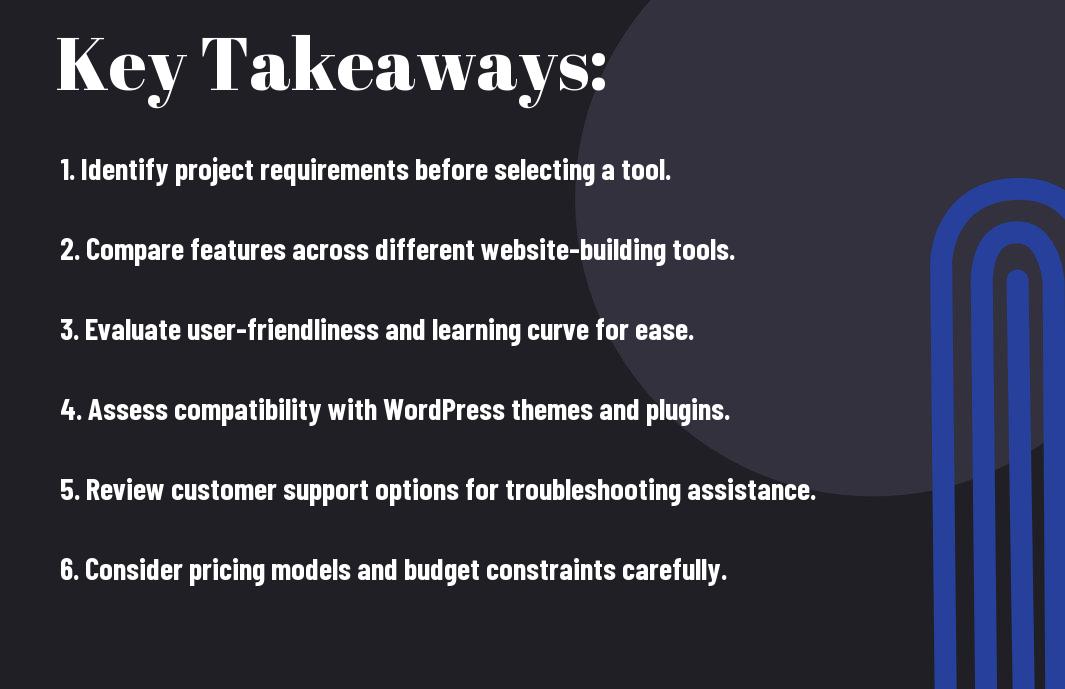
Key Takeaways:
- Evaluate your specific needs, such as design flexibility, user experience, and e-commerce capabilities, to find a tool that meets your requirements.
- Compare the features of different website-building tools, focusing on ease of use, customization options, and support resources to enhance your website development process.
- Consider the pricing structures and scalability of each option to ensure the tool you choose aligns with your budget and future growth plans.
Define Your Website Goals
The first step in choosing the best website-building tool for your WordPress site is to clearly define your website goals. Think about what you want to achieve—whether it’s generating leads, showcasing your art, or selling products online. Clarifying these objectives will not only guide your decisions but also help you select a tool that aligns perfectly with your vision. Take a moment and dive deep; it’s about making sure every feature you choose supports your ultimate goals.
Business or Personal Site
An crucial consideration is whether your site will serve a business purpose or is intended for personal use. Business sites typically require robust features for client engagement, lead capture, and brand promotion. On the other hand, if it’s personal, you might want simpler tools or themes that reflect your interests and hobbies. Knowing the intention behind your site will significantly impact your choice of building tools.
E-commerce or Portfolio Focus
Website goals should also address the nature of your content. If you’re aiming to sell products or services, an e-commerce focus is fundamental. Alternatively, if showcasing your skills or creativity excites you, a portfolio focus is key. Both types require unique features and functionalities, so think about whether you want to splash your products across the screen or display art beautifully. Many tools cater to both needs, but submerging into specifics will help you navigate your options effectively.
With the right approach, selecting a tool for your e-commerce or portfolio focus can be an exhilarating journey. If you’re submerging into e-commerce, pay attention to payment gateways and inventory management; these will make or break your store’s success. For portfolios, ensure your chosen tool highlights your work with stunning visuals and layouts. By aligning these features with your goals, you not only improve your chances of success but also create a site that genuinely represents who you are. Choose well, and you’ll do more than just build a website; you’ll launch your journey!
Assess Technical Requirements
If you want a website that performs optimally, it’s vital to assess the technical requirements before selecting your website-building tool. You need to evaluate factors such as hosting capabilities, server specifications, and overall performance to make sure your application runs smoothly, meets your goals, and can scale as your business grows.
Hosting and Server Needs
There’s no one-size-fits-all when it comes to hosting and servers. Depending on your site’s traffic and resource needs, you might opt for shared, VPS, or dedicated hosting. Each option has its perks, so evaluate your needs to find the perfect fit. Don’t settle for less; your website’s performance hinges on this choice!
Security and Backup Features
Any website operation should prioritize security and backup features to protect your digital assets. You want to ensure that your website is shielded from potential threats while also having a reliable backup plan in place in case things go sideways. Choose a website-building tool that offers robust encryption, regular backups, and easy restoration options for peace of mind.
You can confidently select a website-building tool that prioritizes your security needs by looking for features like SSL certificates, firewall protection, and automatic backups. Knowing that your website is safeguarded from cyber threats and that you have access to your data ensures you can focus on delivering value to your audience without worrying about risks. Your website is your brand; protect it fiercely!
Evaluate Builder Features
Unlike other website builders that might limit your creativity, evaluating the features of a builder will empower you to create a site that reflects your brand and vision. You need to check tools that enhance not just the aesthetics but also the functionality of your WordPress site. Dive deep into what each builder offers—because the right features can set your site apart from the competition.
Drag-and-Drop Functionality
DragandDrop builders are game-changers! They enable you to effortlessly position elements on your site without any coding knowledge. Imagine pulling in images and text blocks with your mouse, customizing layouts right before your eyes. This functionality gives you the power to create a personalized design quickly, so you can focus on what truly matters: connecting with your audience.
Template and Theme Options
Template options are where your creativity can truly shine, and this choice can either elevate your site or leave it feeling generic. Your selected builder should have a wide array of adaptable templates and themes that resonate with your brand’s identity. It’s vital that you can customize these templates easily to fit your unique vision. By choosing a builder with flexible and stylish templates, you’ll make a strong impression and ensure your site stands out in a crowded digital space.
It’s all about finding templates and themes that not only look good but also serve your specific needs. You want a selection that is not only visually appealing but also responsive and easy to navigate. A builder worth your time should offer a variety of styles that can be customized without hassle. Look for options that allow you to alter colors, fonts, and layouts to ensure your site reflects your brand. When you have quality templates at your disposal, you’ll skyrocket your chances of engaging visitors and keeping them coming back!
Compare Cost Structures
To effectively assess which website-building tool suits your WordPress site, it’s crucial to compare their cost structures. Here’s a glance that simplifies your decision-making journey:
| Cost Structure | Description |
|---|---|
| Initial Fees | One-time payment or annual subscription costs. |
| Add-on Features | Extra charges for premium templates, support, or storage. |
| Monthly Plans | Recurring costs that may vary based on usage and features. |
Free vs Premium Plans
Free versions offer a great way to test the waters, but they often come with limitations that could hold you back. You might miss out on crucial functionalities that could take your website to the next level.
Additional Plugin Expenses
Some platforms have free access, but you may still need to invest in plugins to unlock advanced features or enhance functionality. While initial costs might seem low, these add-ons can add up and impact your budget.
Any decision you make regarding additional plugin expenses needs careful thought. Some plugins cost a flat fee, while others rely on subscription models, creating an ongoing expense. Always factor in these potential costs, as they can bring you unexpected financial strain down the road. Choosing a website-building tool requires understanding the entire pricing ecosystem, so keep your eyes peeled for any sneaky upsells or hidden fees.
Check Mobile Responsiveness
Despite the increasing use of mobile devices, many site builders fall short on mobile responsiveness. You need a website builder that automatically adjusts your site for smaller screens, ensuring your visitors have a seamless experience regardless of the device they’re using. Don’t underestimate the importance of mobile optimization; it’s imperative for keeping your audience engaged and boosting your search rankings.
Mobile-First Design Options
Little do you know, adopting a mobile-first design strategy can pay off big time. By prioritizing the mobile experience, you set the stage for an intuitive and user-friendly interface. Look for website builders that offer templates specifically designed for mobile, so you can create a streamlined experience that captivates your visitors right from the start.
Cross-Device Compatibility Testing
Options for cross-device compatibility testing are abundant, so take advantage of them. You want to ensure your website looks and functions beautifully on all devices, from smartphones to tablets and desktops. That’s non-negotiable if you want to provide a stellar user experience.
CrossDevice testing is all about ensuring your website performs perfectly on every device type and browser. Using specialized tools, you can view how your site appears on various screens and platforms. This is not just about aesthetics; it also affects loading times and functionality. A glitchy experience can drive visitors away faster than you can say “bounce rate.” Dive in and make sure every user, no matter how they access your site, gets the experience they deserve!
Review SEO Capabilities
For your WordPress site to shine in the digital landscape, you’ve got to assess the SEO capabilities of your website-building tool. Effective SEO tools can help you drive organic traffic, improve your site’s visibility, and ultimately boost conversions. Make sure you choose a platform that provides a strong foundation for your SEO strategies and simplifies the process of optimizing your content for search engines.
Built-in SEO Tools
With built-in SEO tools, you’ll have a significant advantage at your fingertips. These features provide you with imperative functionalities right out of the box, saving you time while enabling you to naturally enhance your content. Look for options that allow for easy meta description editing, customizable URLs, and automatic XML sitemap generation to help your site get indexed and ranked efficiently.
Search Engine Optimization Features
Engine optimization features make or break your site’s respectability in search engine results. You want tools that offer comprehensive keyword analysis, readability checks, and even suggestions for improving your on-page SEO. Having features that allow you to track your rankings helps you see what’s working and what’s not. The right tool can proactively suggest changes that can enhance your overall content strategy, keeping you ahead of the competition. Prioritize SEO features that are not just user-friendly but are also powerful enough to elevate your site, boost your traffic, and provide insights that matter. Your focus should be on creating content that resonates with your audience while ensuring it is easily discovered by search engines.
Analyze Integration Options
Unlike other platforms, WordPress provides a wealth of integration options that can elevate your site’s functionality. When you’re choosing a website-building tool, it’s necessary to analyze how well it connects with various services—whether it’s CRM, email marketing, or analytics tools. The more seamless the integrations, the better your site’s performance and user experience will be. Look for options that not only meet your current needs but also allow for future growth!
Third-Party Tool Compatibility
While researching website-building tools, make sure to evaluate their compatibility with third-party tools you already use or plan to use. A smooth integration with services like social media platforms, SEO tools, and payment gateways can save you time, streamline your workflow, and enhance your site’s capabilities. You want your site to be a powerhouse of productivity, and compatibility plays a big role in that.
Plugin Integration Possibilities
Analyze the plugin integration possibilities to enhance your website’s functionality. You’ll want to ensure that your chosen tool has an impressive array of plugins available, allowing you to customize your site with ease.
Plugin integration is where your website can truly shine! Plugins enhance your site’s performance by adding functionalities like SEO optimization, enhanced security, and e-commerce capabilities. But, don’t just grab any plugin; some can introduce vulnerabilities or lead to conflicts with other plugins. Aim for high-quality options with good reviews to build a robust foundation for your site. Don’t shy away from exploring the plugin marketplace, as the right ones can open up a world of opportunities for your digital venture!
Consider Support Services
To ensure your WordPress site runs smoothly, it’s vital to evaluate the support services available with your website-building tool. The level of support can significantly impact your experience when things get tricky. You want a tool that provides you with the right safety net, helping you tackle any challenges that arise without feeling stranded.
Customer Support Availability
Any delays in support can cost you lost customers and headaches. Look for options that offer 24/7 live chat, phone support, or at least a helpful email response. Your time is money, and having a responsive support team can be a game-changer when you need quick answers.
Documentation and Resources
Assuming you get stuck or want to explore advanced features, having solid documentation and resources is key. A well-organized knowledge base, video tutorials, and forums help you self-solve issues and learn more about your tool.
For instance, the best platforms provide comprehensive guides, interactive tutorials, and an active community that can answer your queries. This ensures you have the resources to navigate any obstacles or unlock the full potential of your site. When you find a tool that has these robust documentation options, you can feel secure knowing that you have the support to thrive.
Test User Experience
Once again, don’t underestimate the power of user experience in choosing your website-building tool. You’re creating a digital presence and it needs to resonate with your audience. Dive deep into how the tool feels when you use it. Are the elements intuitive? Is the editing process smooth? Your website should reflect your brand’s vibe, and an intuitive user experience keeps your visitors engaged. Test out the tools, and see which one fits like a glove.
Interface Learning Curve
Test the interface of potential website-building tools. You want something that doesn’t leave you scratching your head. Look for straightforward designs and features that allow you to hit the ground running. If you need a manual just to upload an image, it’s a red flag!
Ease of Navigation
An effective website is all about smooth navigation. It’s vital that your visitors can easily find what they’re looking for—if they can’t, they may leave within seconds. Simplify your site by organizing content logically, using clear labels, and providing search functions. This isn’t just about aesthetics; it directly impacts your visitor’s experience.
Experience smooth navigation as your visitors glide effortlessly from page to page. A strong structure means placing important information just a click away. Bad navigation frustrates users, leading to high bounce rates. Conversely, a well-navigated site boosts engagement and keeps visitors exploring. Don’t underestimate the impact of a seamless experience; it can transform casual visitors into loyal followers who keep coming back for more.
Examine Performance Impact
For anyone looking to build a strong WordPress site, checking the performance impact of your website-building tool is imperative. You can’t just focus on design; the tool you choose can either turbocharge your site or drag it down. You want optimum speed and resource management because your users’ experience matters. If your site is lagging, you’re losing traffic – and that’s money left on the table. So pay close attention to performance metrics and make an informed choice.
Page Load Speed
Impact is everything when it comes to page load speed. A fast-loading site keeps your visitors engaged, while a slow one sends them running for the hills. Tools that optimize this aspect can improve not just user experience but also your SEO rankings. So, choose wisely; speed can make or break your site’s success.
Resource Usage Assessment
Any effective website-building tool should be assessed for its resource usage. If your tool hogs server resources, it can slow down your site significantly and create unexpected costs. It’s all about efficiency—fewer resources used means more speed and stability for your visitors. You want your site to run like a well-oiled machine, not a rusty old jalopy!
Page load speed isn’t the only game in town; how your tool uses server resources matters too. Tools that consume excessive CPU and memory can cause your site to crash or lag, leading to a frustrating experience for users. Assess whether the building tool installs plugins in an optimized manner, as inefficient plugins can also drain resources. Choosing a tool with minimal resource usage enhances site performance, letting you focus on more important things, like your luscious content and connecting with your audience.
Research User Reviews
Your journey in selecting the best website-building tool for your WordPress site shouldn’t skip over the power of user reviews. These insights offer you a real snapshot of what others have experienced, helping you to not only pinpoint the strengths and weaknesses of each option but also reveal potential pitfalls. When plunging into this feedback, pay attention to patterns—both in the praises and the complaints—because they can significantly shape your decision-making process.
Community Feedback Analysis
If you want to make an informed decision, tap into community feedback. Forums, social media groups, and user-generated ratings hold authentic opinions that can highlight the most reliable tools. By analyzing the experiences of fellow users, you’ll gain valuable perspectives that corporate marketing may overlook. Just be sure to spot the recurring themes, as they can help you gauge overall satisfaction and reliability.
Expert Recommendations Review
One strategy to enhance your selection is to consider expert recommendations. Seasoned professionals often share insights that aren’t influenced by marketing hype. They can cut through the noise and provide you with recommendations based on extensive experience and testing in the field.
The key here is to pay attention to what industry leaders are saying about different tools. Their insights can reveal warnings about unsupported features or overhyped platforms. Additionally, take note of their strong endorsements for tools that streamline workflow and enhance performance. You want reliable information to guide your choice, so lean on the intel from trusted voices in the community—these are the people who’ve been in the trenches and can steer you on a path toward success.
Compare Page Builders
To find the perfect page builder for your WordPress site, you need to look beyond just the surface. Each tool has unique features and benefits that can seriously impact your site’s performance and your workflow. Let’s break it down in a concise way to make your decision easier.
| Page Builder | Key Features |
|---|---|
| Elementor | Drag-and-drop, responsive design, template library |
| Beaver Builder | Front-end editing, mobile-friendly, SEO optimization |
| WPBakery | Template marketplace, extensive add-ons, compatible with any theme |
| Divi Builder | Visual editing, advanced customization, split testing |
Popular Builder Options
An effective page builder can dramatically transform your website’s look and feel, but you need to choose wisely. Some top options include Elementor, Beaver Builder, WPBakery, and Divi Builder. Each of these tools brings something unique to the table that could elevate your website. Dive into the details of what they offer before making your decision!
Feature Comparison Matrix
Now, let’s hit the numbers and compare features across popular page builders so you can see which one fits your needs like a glove!
| Feature | Elementor |
|---|---|
| Live Editing | Yes |
| Responsive Design | Yes |
| Theme Builder | Yes |
| Popup Builder | Yes |
This matrix gives you a bird’s-eye view of what each builder can do and how it matches against your business needs. For instance, if live editing is important to you, both Elementor and others like it provide seamless options that keep your editing process slick. Plus, tools like responsive design ensure your website looks fire on any device, which is huge! No matter which builder you lean towards, make sure it aligns with your goals and enhances your workflow!
Assess Customization Options
After you’ve narrowed down your website-building tools, it’s time to assess the customization options. This aspect is vital because your website should not only function well but also reflect your unique brand identity. Look for features that allow you to tweak colors, fonts, layouts, and other design elements without needing a degree in design! The more flexibility a tool offers, the more personal and engaging your site will be for your audience.
Design Flexibility Level
Even if some website builders offer ready-made templates, you want a tool that gives you the freedom to go off the beaten path. Consider how easy it is to manipulate design elements or create custom layouts that resonate with your vision. A platform that allows you to mold your site to fit your style will set you apart from the sea of cookie-cutter designs.
Code Access Availability
While many website-building tools let you build sites with little to no coding knowledge, having the option to access and modify code can be a game-changer. This ability empowers you to implement advanced functionality or design tweaks that could elevate your site’s performance and aesthetics.
It’s vital that you know what you’re getting into regarding code access. Platforms that allow you to investigate the code can give your site a serious dose of flexibility, letting you add unique features or improve site speed. However, steer clear of tools that claim to be “code-free” but don’t offer the option to customize later. Protect your investment and always consider how much control you want over your creation, as this can either limit your growth or skyrocket your possibilities!
Review Update Frequency
Your choice of website-building tool matters, especially when it comes to update frequency. Regular updates not only ensure that you have the latest features, but they also provide crucial security patches. Look for tools that have a consistent update schedule, as this reflects the developers’ commitment to improving the product and keeping it safe for you and your visitors.
Maintenance Schedule Check
To ensure your website runs smoothly, checking the maintenance schedule of the website-building tool is crucial. A clear and transparent maintenance schedule indicates how often the developers will address bugs, implement updates, and provide customer support. The more frequent the maintenance, the less chance you’ll face downtime or security threats, making your site more reliable for your audience.
Version Compatibility Assessment
Assuming you want your site to function seamlessly, assessing version compatibility is key. Your website-building tool should work well with other plugins and themes that you plan to use. Incompatibility can lead to major headaches, breaking your site or even causing data loss.
It’s vital to stay informed about the latest versions of your building tool and any plugins or themes you’re using. Each update can introduce new features and fix existing bugs. However, if a plugin isn’t updated to match the latest version of your tool, it can lead to issues like site crashes or security vulnerabilities. Always check if the versions work well together—this proactive approach not only protects your investment but also enhances the overall performance and reliability of your site.
Evaluate Export Options
Many website builders offer varying levels of export options, which is something you’ve got to evaluate seriously. Having the ability to export your content easily is vital for maintaining control of your website. You don’t want to be locked into a platform that makes it a hassle to move to a different service or make changes down the road. So, check what the export process looks like—whether it’s complicated or straightforward can make a world of difference!
Content Portability Features
The flexibility of your content matters immensely. Some builders allow you to export your text, images, and other media in standard formats, making it super easy to migrate your site. Meanwhile, some might wrap you in a web of complex files. This could mean hours of frustration just to get your stuff out. Prioritize builders with solid content portability features to save yourself the headache later!
Backup Solution Availability
You need to ensure that there’s a reliable backup solution in place with your website-building tool. This isn’t just about convenience; it’s about protecting your hard work. If something goes wrong—be it a tech glitch or an accidental deletion—you want to restore your site easily without any panic.
A backup solution is like your insurance policy in the digital world. Think about it: if you’re spending time and energy creating content, the last thing you want is to lose it all due to unexpected issues. A solid backup tool allows you to create frequent snapshots of your site, ensuring your content remains protected. Plus, when you choose a builder with automated backup options, you can have peace of mind knowing that your hard work won’t just vanish overnight. That’s the kind of assurance you deserve!
Check Browser Compatibility
For your WordPress site, ensuring browser compatibility is key to providing a seamless experience for your visitors. Different browsers might render your site’s design or functionality differently, which can be frustrating for both you and your audience. When choosing a website-building tool, check if it is optimized for popular browsers like Chrome, Firefox, Safari, and Edge. This way, you can reach more users and maintain a consistent brand experience across all platforms.
Cross-Browser Testing Results
If you’re aiming for a flawless user experience, look into cross-browser testing results. Checking how your website performs across various browsers can reveal potential issues that need to be addressed. You want your site to shine no matter where it’s accessed, so get those insights and keep your visitors happy!
Performance Across Platforms
For you to boost your WordPress site’s efficiency, consider how the website-building tool performs across different operating systems and devices. The better the performance, the happier your users will be. A tool that supports smooth browsing on both desktop and mobile platforms is a game-changer for increasing engagement.
Testing how your website performs across various platforms isn’t just a nice-to-have—it’s a must! Pay attention to load times and responsiveness on different devices. If a tool can handle mobile optimization like a champ, that’s definitely a win for you. Plus, with the rise of mobile users, ensuring your site runs smoothly on smartphones can significantly enhance user experience. So, don’t gloss over these details; they matter! Make sure your website-building tool delivers performance that keeps your audience coming back for more.
Consider Growth Potential
For anyone serious about their online presence, considering growth potential is game-changing. Your website needs to not only serve current demands but also flexibly accommodate future needs. As your business evolves, having a platform that grows with you is vital for turning your hustle into a thriving venture.
Scalability Features Available
Scalability is all about reaping rewards as your brand grows. Look for features that allow you to easily increase storage, bandwidth, or add new functionalities without major headaches. This means ensuring that the website-building tool you choose offers integrations, plugins, and performance enhancements that adapt smoothly to your expanding requirements.
Future Expansion Possibilities
You’ll discover that your website can evolve in exciting ways. Setting up a solid foundation with your chosen tools today means unlocking doors tomorrow. You can explore new services, target different audiences, or even sell products seamlessly. Invest in solutions that offer you flexibility—whether it’s adding an e-commerce section or launching a blog. Take a moment to assess how well your platform can integrate fresh ideas and features down the line. Your future self will thank you for the proactive steps you take today!
Analyze Learning Resources
Many website-building tools come with a treasure trove of learning resources that can dramatically speed up your progress. Take the time to probe their documentation, community forums, and video tutorials to gauge how quickly you can become proficient. A tool with solid educational support can be a game-changer, so don’t settle for anything less than comprehensive learning options to empower your WordPress journey.
Tutorial Availability Check
To effectively assess a website-building tool, check the availability of tutorials. Look for a mix of options such as text guides, video tutorials, and interactive workshops. These resources play a significant role in how well you can navigate the platform, so ensure they’re easily accessible and cover a range of topics from beginner to advanced.
Training Material Assessment
Analyze the training materials provided by the tool. You want to look for a blend of engaging and informative content that caters to various learning styles. Are there step-by-step guides, in-depth video tutorials, and practical applications involved? Any tool that lacks strong training resources can hinder your growth, so prioritize those that offer high-quality, diversified material. It will save your time and increase your efficiency in building your site, making your journey to online success much smoother.
Test Before Committing
Now, before you dive headfirst into a website-building tool, it’s vital to test the waters. This step will help you see if the tool aligns with your needs and expectations without wasting time or money. Don’t just take their word for it – get your hands dirty and see how it feels to build your site. Trust me, this can save you a lot of headache down the road.
Free Trial Usage
Assuming you’re ready to test the waters, many website builders offer free trials. Take advantage of these! Grab a trial, play around, and see what features resonate with you. It’s the best way to explore the platform without the pressure of a financial commitment.
Demo Version Testing
You’ll often find demo versions available for website-building tools, and these can be game-changers. They give you a sneak peek into how the tool works and its features without any strings attached. It’s your chance to kick the tires and see if it drives the way you want!
Any time you engage with a demo version, you want to be sure it allows you to explore key functionalities. Look closely at the interface, customize a few templates, and pay attention to the ease of use. If things seem complicated or lacking, it’s a sign to keep moving. The right tool should empower you, not frustrate you. So, dive in, experiment with the demo, and get an idea of how your vision could come to life! You’ll be glad you did.
Make Final Selection
Not choosing a website-building tool that fits your needs can lead to frustration down the line. You’ve done the research, you’ve compared options, and now it’s time to make that final decision. Trust your instincts and prioritize what matters most to you. Don’t overthink it—go with what resonates and fits best for your goals!
Feature Priority List
Some features might be non-negotiable for you, like customization options, ease of use, and SEO capabilities. Put together a list of your must-haves and nice-to-haves before venturing into the specifics. This helps streamline your process and avoids getting sidetracked by tools that don’t align with your vision.
Decision Matrix Creation
Any effective decision needs clarity and structure, which is where a decision matrix comes into play. This tool helps you visually weigh the options based on the features you’ve prioritized, ensuring you choose the website builder that best meets your needs.
With a decision matrix, you can break down each website-building tool by listing the features you’ve prioritized against each option. Rate them numerically based on how well they meet your needs—a higher score indicates a better fit. This method not only provides a clear visual reference but also highlights the positives and negatives, empowering you to make an informed choice. Don’t forget to consider long-term support and user communities which can be game-changers as you grow your site.
To wrap up
From above, you’ve seen how to dissect the best website-building tool for your WordPress site. It’s all about plunging into what resonates with you and your needs, weighing the features, ease of use, and customization potential. You’re not just picking a tool; you’re crafting your brand’s digital home. So go out there, trust your instincts, and choose the platform that amplifies your vision—because your online presence deserves nothing but the best. Let’s get building!
FAQ
Q: What are the key features to look for in a website-building tool for WordPress?
A: When selecting a website-building tool for your WordPress site, consider features such as user-friendliness, flexibility, customization options, and compatibility with various themes and plugins. Look for drag-and-drop functionality that simplifies the design process, responsive design templates for mobile optimization, and SEO tools to enhance your site’s visibility. Additionally, check if the tool offers support and regular updates, as these can significantly impact your site’s performance over time.
Q: How do I determine if a website-building tool is compatible with my existing WordPress theme?
A: To determine compatibility with your existing WordPress theme, review the documentation and compatibility information provided by the website-building tool. Most reputable tools will list the themes they work well with, and many have support forums where you can inquire about specific themes. It’s also wise to test the tool in a staging environment before implementing it on your live site, ensuring that the design and functionality align with your vision without causing conflicts.
Q: What is the importance of customer support when choosing a website-building tool for WordPress?
A: Customer support is an vital factor when choosing a website-building tool because it can significantly affect your experience and the final outcome of your website. Reliable support can provide assistance with setup issues, troubleshooting, and any complexities that may arise during the building process. Look for tools that offer multiple support channels such as live chat, email, and community forums, as this can save you time and frustration if you encounter problems or have questions.